That's great if you're compiling for use on the same machine or those exactly like it. If you're compiling binaries for wider distribution it will generate code that some machines can't run and won't take advantage of features in others.
To be able to support multiple arch levels in the same binary I think you still need to do manual work of annotating specific functions where several versions should be generated and dispatched at runtime.
I'm curious if that's still the case generally after things like musttail attributes to help the compiler emit good assembly for well structured interpreter loops:
> agents were previously spending 3-5 minutes after each call writing manual summaries of the calls
Why were they doing this at all? It may not be what is happening in this specific case but a lot of the AI business cases I've seen are good automations of useless things. Which makes sense because if you're automating a report that no one reads the quality of the output is not a problem and it doesn't matter if the AI gets things wrong.
In operations optimization there's a saying to not go about automating waste, cut it out instead. A lot of AI I suspect is being used to paper over wasteful organization of labor. Which is fine if it turns out we just aren't able to do those optimizations anyway.
As a customer of many companies who has also worked in call centers, I can't tell you how frustrating it is when I, as a customer, have to call back and the person I speak with has no record or an insufficient record of my last call. This has required me to repeat myself, resend emails, and wait all over again.
It was equally frustrating when I, as a call center worker, had to ask the custmer to tell me what should already have been noted. This has required me to apologize and to do someone else's work in addition to my own.
Summarizing calls is not a waste, it's just good business.
> They are perfectly good machines as servers and desktop terminals.
On the power usage alone surely an upgrade to a still extremely old 64bit machine would be a significant upgrade. For a server that you run continuously a 20+ year old machine will consume quite a bit.
Indeed. I still keep around a couple of old computers, because they have PCI slots (parallel, not PCIe), unlike any newer computer that I have, and I still use some PCI cards for certain purposes.
However, those computers are not so old as to have 32-bit CPUs, they are only about 10 years old, but that was because I was careful at that time to select MBs that still had PCI slots, in order to be able to retire all older computers.
The only peripherals that truly don't work in more modern boards would be AMR/ACR/CNR? ISA and plain PCI being reasonably easy to acquire expansion boxes (might be a problem for EISA though, I guess...)
That's probably better than most scaling done on Wayland today because it's doing the rendering directly at the target resolution instead of doing the "draw at 2x scale and then scale down" dance that was popularized by OSX and copied by Linux. If you do it that way you both lose performance and get blurry output. The only corner case a compositor needs to cover is when a client is straddling two outputs. And even in that case you can render at the higher size and get perfect output in one output and the same downside in blurryness in the other, so it's still strictly better.
It's strange that Wayland didn't do it this way from the start given its philosophy of delegating most things to the clients. All you really need to do arbitrary scaling is tell apps "you're rendering to a MxN pixel buffer and as a hint the scaling factor of the output you'll be composited to is X.Y". After that the client can handle events in real coordinates and scale in the best way possible for its particular context. For a browser, PDF viewer or image processing app that can render at arbitrary resolutions not being able to do that is very frustrating if you want good quality and performance. Hopefully we'll be finally getting that in Wayland now.
> doing the "draw at 2x scale and then scale down" dance that was popularized by OSX
Originally OS X defaulted to drawing at 2x scale without any scaling down because the hardware was designed to have the right number of pixels for 2x scale. The earliest retina MacBook Pro in 2012 for example was 2x in both width and height of the earlier non-retina MacBook Pro.
Eventually I guess the cost of the hardware made this too hard. I mean for example how many different SKUs are there for 27-inch 5K LCD panels versus 27-inch 4K ones?
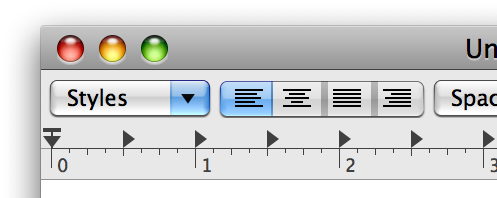
But before Apple committed to integer scaling factors and then scaling down, it experimented with more traditional approaches. You can see this in earlier OS X releases such as Tiger or Leopard. The thing is, it probably took too much effort for even Apple itself to implement in its first-party apps so Apple knew there would be low adoption among third party apps. Take a look at this HiDPI rendering example in Leopard: https://cdn.arstechnica.net/wp-content/uploads/archive/revie... It was Apple's own TextEdit app and it was buggy. They did have a nice UI to change the scaling factor to be non-integral: https://superuser.com/a/13675
> Originally OS X defaulted to drawing at 2x scale without any scaling down because the hardware was designed to have the right number of pixels for 2x scale.
That's an interesting related discussion. The idea that there is a physically correct 2x scale and fractional scaling is a tradeoff is not necessarily correct. First because different users will want to place the same monitor at different distances from their eyes, or have different eyesight, or a myriad other differences. So the ideal scaling factor for the same physical device depends on the user and the setup. But more importantly because having integer scaling be sharp and snapped to pixels and fractional scaling a tradeoff is mostly a software limitation. GUI toolkits can still place all ther UI at pixel boundaries even if you give them a target scaling of 1.785. They do need extra logic to do that and most can't. But in a weird twist of destiny the most used app these days is the browser and the rendering engines are designed to output at arbitrary factors natively and in most cases can't because the windowing system forces these extra transforms on them. 3D engines are another example, where they can output whatever arbitrary resolution is needed but aren't allowed to. Most games can probably get around that in some kind of fullscreen mode that bypasses the scaling.
I think we've mostly ignored these issues because computers are so fast and monitors have gotten so high resolution that the significant performance penalty (2x easily) and introduced blurryness mostly goes unnoticed.
> Take a look at this HiDPI rendering example in Leopard
That's a really cool example, thanks. At one point Ubuntu's Unity had a fake fractional scaling slider that just used integer scaling plus font size changes for the intermediate levels. That mostly works very well from the point of view of the user. Because of the current limitations in Wayland I mostly do that still manually. It works great for single monitor and can work for multiple monitors if the scaling factors work out because the font scaling is universal and not per output.
What you want is exactly how fractional scaling works (on Wayland) in KDE Plasma and other well-behaved Wayland software: The scale factor can be something quirky like your 1.785, and the GUI code will generally make sure that things nevertheless snap to the pixel grid to avoid blurry results, as close to the requested scaling as possible. No "extra window system transforms".
That's what I referred to with "we'll be finally getting that in Wayland now". For many years the Wayland protocol could only communicate integer scale factors to clients. If you asked for 1.5 what the compositors did was ask all the clients to render at 2x at a suitably fake size and then scale that to the final output resolution. That's still mostly the case in what's shipping right now I believe. And even in integer scaling things like events are sent to clients in virtual coordinates instead of just going "here's your NxM buffer, all events are in those physical coordinates, all scaling is just metadata I give you to do whatever you want with". There were practical reasons to do that in the beginning for backwards compatibility but the actual direct scaling is having to be retrofitted now. I'll be really happy when I can just set 1.3 scaling in sway and have that just mean that sway tells Firefox that 1.3 is the scale factor and just gets back the final buffer that doesn't need any transformations. I haven't checked very recently but it wasn't possible not too long ago. If it is now I'll be a happy camper and need to upgrade some software versions.
In KDE Plasma we've supported the way you like for quite some years, because Qt is a cross-platform toolkit that supported fractional on e.g. Windows already and we just went ahead and put the mechanisms in place to make use of that on Wayland.
The standardized protocols are more recent (and of course we heavily argued for them).
Regarding the way the protocol works and something having to be retrofitted, I think you are maybe a bit confused about the way the scale factor and buffer scale work on wl_output and wl_surface?
But in any case, yes, I think the happy camper days are coming for you! I also find the macOS approach attrocious, so I appreciate the sentiment.
Thanks! By retrofitting I mean having to have a new protocol with this new opt-in method where some apps will be getting integer scales and go through a transform and some apps will be getting a fractional scale and rendering directly to the output resolution. If this had worked "correctly" from the start the compositors wouldn't even need to know anything about scaling. As far as they knew the scaling metadata could have been an opaque value that they passed from the user config to the clients to figure out. I assume we're stuck forever with all compositors having to understand all this instead of just punting the problem completely to clients.
When you say you supported this for quite some years was there a custom protocol in KWin to allow clients to render directly to the fractionally scaled resolution? ~4 years ago I was frustrated by this when I benchmarked a 2x slowdown from RAW file to the same number of pixels on screen when using fractional scaling and at least in sway there wasn't a way to fix it or much appetite to implement it. It's great to see it is mostly in place now and just needs to be enabled by all the stack.
Oh, ok. Yeah, this I agree with, and I think plenty of people do - having integer-only scaling in the core protocol at the start was definitely a regretable oversight and is a wart on things.
> When you say you supported this for quite some years was there a custom protocol in KWin to allow clients to render directly to the fractionally scaled resolution?
Qt had a bunch of different mechanisms for how you could tell it to use a fractional scale factor, from setting an env var to doing it inside a "platform plugin" each Qt process loads at runtime (Plasma provides one), etc. We also had a custom-protocol-based mechanism (zwp_scaler_dev iirc) that basically had a set_scale with a 'fixed' instead of an 'int'. Ultimately this was all pretty Qt-specific though in practice. To get adoption outside of just our stack a standard was of course needed, I guess what we can claim though is that we were always pretty firm we wanted proper fractional and to put in the work.
Thank you for that. The excellent fractional scaling and multi-monitor support is why I finally switched back to KDE full time (after first switching away during the KDE 3 to 4 mess).
> That's still mostly the case in what's shipping right now I believe
All major compositors support fractional scaling extension these days which allows pixel perfect rendering afaik, and I believe Qt6 and GTK4 also support it.
That's great, however why do we use a "scale factor" in the first place? We had a perfectly fitting metric in DPI, why can't I set the desired DPI for every monitor, but instead need to calculate some arbitrary scale factor?
I'm generally a strong wayland proponent and believe it's a big step forward over X in many ways, but some decisions just make me scratch my head.
DPI (or PPI) is an absolute measurement. Scale factor is intentionally relative. Different circumstances will want to have different scale factor : dpi ratios; most software do not care if certain UI element is exactly x mm in size, but instead just care that their UI element scale matches the rest of the system.
Basically scale factor neatly encapsulates things like viewing distance, user eyesight, dexterity, and preference, different input device accuracy, and many others. It is easier to have human say how big/small they want things to be than have gazillion flags for individual attributes and then some complicated heuristics to deduce the scale.
I disagree, I don't want a relative metric. You're saying scale factor neatly encapsulates viewing distance, eyesight, preference, but compared to what? Scale is meaningless if I don't have a reference point.
If I have two different size monitors you have now created a metric where a scale of 2x means something completely different. So to get things look the same I either have to manually calculate DPI or I have to manually try and error until it looks right. Same thing if I change monitors, I now have to try until I get the desired scale, while if I had DPI I would not have to change a thing.
> It is easier to have human say how big/small they want things to be than have gazillion flags for individual attributes and then some complicated heuristics to deduce the scale.
I don't understand why I need gazillion flags, I just set desired DPI (instead of scale). But an absolute metric is almost always better than a relative metric, especially if the relative point is device dependent.
Not even that - my mom and I might sit the same distance from screens of the same size but she will want everything to be scaled larger than I do. Ultimately, it's a preference and not something that should strictly match some objective measurement.
The end-user UIs don't ask you to calculate anything. Typically they have a slider from 100% to, say, 400% and let you set this to something like 145%.
This may take some getting used to if you're familiar with DPI and already know the value you like, but for non-technical users it's more approachable. Not everyone knows DPI or how many dots they want to their inches.
That the 145% is 1.45 under the hood is really an implementation detail.
I don't care about what we call the metric, I argue that a relative metric, where the reference point is device dependent is simply bad design.
I challenge you, tell a non-technical user to set two monitors (e.g. laptop and external) to display text/windows at the same size. I will guarantee you that it will take them significant amount of time moving those relative sliders around. If we had an absolute metric it would be trivial. Similarly, for people who regularly plug into different monitors, they would simply set a desired DPI and everywhere they plug into things would look the same instead of having to open the scale menu every time.
I see where you are coming from and it makes sense.
I will also say though that in the most common cases where people request mixed scale factor support from us (laptop vs. docked screen, screen vs. TV) there are also other form factor differences such as viewing distance that doesn't make folks want to match DPI, and "I want things bigger/smaller there" is difficult to respond to with "calculate what that means to you in terms of DPI".
For the case "I have two 27" monitors side-by-side and only one of them is 4K and I want things to be the same size on them" I feel like the UI offering a "Match scale" action/suggestion and then still offering a single scale slider when it sees that scenario might be a nice approach.
> I see where you are coming from and it makes sense.
I actually agree (even though I did not express that in my original post) that DPI is probably not a good "user visible" metric. However, I find that the scaling factor relative to some arbitrary value is inferior in every way. Maybe it comes the fact that we did not have proper fractional scaling support earlier, but we are now in the non-sensical situation that for the same laptop with the same display size (but different resolutions, e.g. one HiDPI one normal), you have very different UI element sizes, simply because the default is now to scale either 100% for normal displays and 200% for HiDPI. Therefore the scale doesn't really mean anything and people just end up adjusting again and again, surely that's even more confusing for non-technical users.
> I will also say though that in the most common cases where people request mixed scale factor support from us (laptop vs. docked screen, screen vs. TV) there are also other form factor differences such as viewing distance that doesn't make folks want to match DPI, and "I want things bigger/smaller there" is difficult to respond to with "calculate what that means to you in terms of DPI".
From my anecdotal evidence, most (even all) people using a laptop for work, have a the laptop next to the monitor and actually adjust scaling so that elements are similar size. Or the other extreme, they simply take the defaults and complain that one monitor makes all their text super small.
But even the people who want things bigger or smaller depending on circumstances, I would argue are better served if the scaling factor is relative to some absolute reference, not the size of the pixels on the particular monitor.
> For the case "I have two 27" monitors side-by-side and only one of them is 4K and I want things to be the same size on them" I feel like the UI offering a "Match scale" action/suggestion and then still offering a single scale slider when it sees that scenario might be a nice approach.
Considering that we now have proper fractional scaling, we should just make the scale relative to something like 96 DPI, and then have a slider to adjust. This would serve all use cases. We should not really let our designs be governed by choices we made because we could not do proper scaling previously.
The only place were this is a problem though is the configuration UI though. The display configuration could be changed to show a scale relative to the display size (so 100% on all displays means means sizes match) while the protocol keeps talking to applications in scale relative to the pixel size (so programs don't need to care about DPI and instead just have one scale factor).
I find that explaining all of the above considerations to the user in a UI is hard. It's better to just let the user pick from several points on a slider for them to see for themselves.
> tell a non-technical user to set two monitors (e.g. laptop and external) to display text/windows at the same size
Tell me, do you not ever use Macs?
This is not even a solved problem on macOS: there is no solution because the problem doesn't happen in the first place. The OS knows the size and the capabilities of the devices and you tell it with a slider what size of text you find comfortable. The end.
It works out the resolutions and the scaling factors. If the users needs to set that individually per device, if they can even see it, then the UI has failed: it's exposing unnecessary implementation details to users who do not need to know and should not have to care.
_Every_ user of macOS can solve this challenge because the problem is never visible. It's a question of stupidly simple arithmetic that I could do with a pocket calculator in less than a minute, so it should just happen and never show up to the user.
This is true, but there are a few things which just happen to be measured in this obsolete and arbitrary unit around most of the world, and pizzas and computer screens are two of the ones that can be mentioned in polite society. :-)
I speak very bad Norwegian. I use metric for everything. But once I ordered a pizza late at night in Bergen after a few beers, and they asked me how big I wanted in centimetres and it broke my decision-making process badly. I can handle Norwegian numbers and I can handle cm but not pizzas in cm.
I ended up with a vast pizza that was a ridiculous size for one, but what the hell, I was very hungry. I just left the crusts.
I'm not privy to what discussions happened during the protocol development. However using scale within the protocol seems more practical to me.
Not all displays accurately report their DPI (or can, such as projectors). Not all users, such as myself, know their monitors DPI. Finally the scaling algorithm will ultimately use a scale factor, so at a protocol level that might as well be what is passed.
There is of course nothing stopping a display management widget/settings page/application from asking for DPI and then converting it to a scale factor, I just don't known of any that exist.
As I replied to the other poster. I don't think DPI should necessarily be the exposed metric, but I do think that we should use something non device-dependent as our reference point, e.g. make 100% = 96 dpi.
I can guarantee that it is surprising to non-technical users (and a source of frustration for technical users) that the scale factor and UI element size can be completely different on two of the same laptops (just a different display resolution which is quite common). And it's also unpredictable which one will have the larger UI elements. Generally I believe UI should have behave as predictably as possible.
> We had a perfectly fitting metric in DPI, why can't I set the desired DPI for every monitor, but instead need to calculate some arbitrary scale factor?
Because certain ratios work a lot better than others, and calculating the exact DPI to get those benefits is a lot harder than estimating the scaling factor you want.
Also the scaling factor calculation is more reliable.
I don't run a compositor, and with Qt6, Some programs like VirtualBox just don't respect Qt's scaling factor setting. Setting the font DPI instead results in weird bugs, like the display window getting smaller and smaller.
As it happens, VirtualBox does have its own scaling setting, but it's pretty bad, in my opinion. But I'm kind of forced to use it because Qt's own scaling just doesn't work in this case.
Seems like the support is getting there. I just checked Firefox and it has landed the code but still has it disabled by default. Most users that set 1.5x on their session are probably still getting needless scaling but hopefully that won't last too long.
It landed four years ago, but had debilitating problems. Maybe a year ago when I last tried it, it was just as bad—no movement at all. But now, it seems largely fixed, hooray! Just toggled widget.wayland.fractional-scale.enabled and restarted, and although there are issues with windows not synchronising their scale (my screen is 1.5×; at startup, one of two windows stayed 2×; on new window, windows are briefly 2×; on factor change, sometimes chrome gets stuck at the next integer, probably the same issue), it’s all workaroundable and I can live with it.
> The scale factor can be something quirky like your 1.785, and the GUI code will generally make sure that things nevertheless snap to the pixel grid to avoid blurry results
This is horrifying! It implies that, for some scaling factors, the lines of text of your terminal will be of different height.
Not that the alternative (pretend that characters can be placed at arbitrary sub-pixel positions) is any less horrifying. This would make all the lines in your terminal of the same height, alright, but then the same character at different lines would look different.
The bitter truth is that fractional scaling is impossible. You cannot simply scale images without blurring them. Think about an alternating pattern of white and black rows of pixels. If you try to scale it to a non-integer factor the result will be either blurry or aliased.
The good news is that fractional scaling is unnecessary.
You can just use fonts of any size you want. Moreover, nowadays pixels are so small that you can simply use large bitmap fonts and they'll look sharp, clean and beautiful.
> The bitter truth is that fractional scaling is impossible.
That's overly prescriptive in terms of what users want. In my experience users who are used to macOS don't mind slightly blurred text. And users who are traditionalists and perhaps Windows users prefer crisper text at the expense of some height mismatches. It's all very subjective.
> In my experience users who are used to macOS don't mind slightly blurred text.
It always makes me laugh when apple users say "oh it's become of the great text rendering!"
The last time text rendering was any good on MacOS was on MacOS 9, since then it's been a blurry mess.
That said, googling for "MacOS blurry text" yields pages and pages and pages of people complaining so I am not sure it is that subjective, simply that some people don't even know how good-looking text can look even on a large 1080p monitor
You can only search for complaints because those who enjoy it are the silent majority. You can however also search for pages and pages of discussions and tools to bring Mac style text rendering to Windows including the MacType tool. It is very much subjective.
"Great text rendering" is also highly subjective mind you. To me greatness means strong adherence to the type face's original shape. It doesn't mean crispness.
The way it works for your terminal emulator example is that it figures out what makes sense to do for a value of 1.785, e.g. rasterizing text appropriately and making sure that line heights and baselines are at sensible consistent values.
the problem is that there's no reasonable thing to do when the height of the terminal in pixels is not an integer multiple of the height of the font in pixels. Whatever "it" does, will be wrong.
(And when it's an integer multiple, you don't need scaling at all. You just need a font of that exact size.)
You're overthinking things a bit and are also a bit confused about how font sizes work and what "scaling" means in a windowing system context. You are thinking taking a bunch of pixels and resampling. In the context we're talking about "scaling" means telling the software what it's expected to output and giving it an opportunity to render accordingly.
The way the terminal handles the (literal) edge case you mention is no different from any other time its window size is not a multiple of the line height: It shows empty rows of pixels at the top or bottom.
Fonts are only a "exact size" if they're bitmap-based (and when you scale bitmap fonts you are indeed in for sampling difficulties). More typical is to have a font storing vectors and rasterizing glyphs to to the needed size at runtime.
Right, but most users of terminal emulators typically don't use bitmap fonts anymore and haven't for quite some time (just adding this for general clarity, I'm sure you know it).
Is it actually in Wayland or is it "implementation should handle it somehow" like most of wayland? Because what is probably 90% of wayland install base only supports communicating integer scales to clients.
Hmmm, sorry, but I don't care about install base of wayland in a highly controlled environment (how many different monitor panels you ship is probably less amount of displays with different DPI in my living room right now).
> But more importantly because having integer scaling be sharp and snapped to pixels and fractional scaling a tradeoff is mostly a software limitation. GUI toolkits can still place all ther UI at pixel boundaries even if you give them a target scaling of 1.785. They do need extra logic to do that and most can't.
The reason Apple started with 2x scaling is because this turned out to not be true. Free-scaling UIs were tried for years before that and never once got to acceptable quality. Not if you want to have image assets or animations involved, or if you can't fix other people's coordinate rounding bugs.
Other platforms have much lower standards for good-looking UIs, as you can tell from eg their much worse text rendering and having all of it designed by random European programmers instead of designers.
> Free-scaling UIs were tried for years before that and never once got to acceptable quality.
The web is a free-scaling UI, which scales "responsively" in a seamless way from feature phones with tiny pixelated displays to huge TV-sized ultra high-resolution screens. It's fine.
It mostly works but you can still run into issues when you e.g. want to have an element size match the border of another. Things like that that used to work don't anymore due to the tricks needed to make fractional scaling work well enough for other uses.
The problem is the rounding from fractional sizes due to fractional scaling to whole pixel sizes needed to keep things looking crisp. Browsers try really hard to make sure that during this process all borders of an element remain the same size, but this also means that they end up introducing inconsistencies with other measurements.
That's actually a different kind of scaling. The one at issue here is closer to cmd-plus/minus on desktop browsers, or two-finger zooming on phones. It's hard to make that look good unless you only have simple flat UIs like the one on this website.
They did make another attempt at it for apps with Dynamic Type though.
I'm certain that web style scaling is what the vast majority of desktop users actually want from fractional desktop scaling.
Thinking that two finger zooming style scaling is the goal is probably the result of misguided design-centric thinking instead of user-centric thinking.
User scale and device scale are combined into one scale factor as far as the layout / rendering engine is concerned and thus are solved in the same way.
The difference is developers are a lot more likely to have tested one than the other. So it's what you call a binary compatibility issue.
Similarly browser developers care deeply if they break a website with the default settings, but they care less if cmd-+ breaks it because that's optional. If it became a mandatory accessibility feature somehow, now they have a problem.
Out of curiosity, do you happen to know why Apple thought that would be the cause for low adoption among 3rd party apps? Isn't scaling something that the OS should handle, that should be completely transparent, something that 3rd party devs can forget exists at all? Was it just that their particular implementation required apps to handle things manually?
I can only offer a hypothesis. Historically UI sizing was done in pixels, which means they are always integers. When developers support fractional scaling they can either update the app to do all calculations in floating point and store all intermediate results in floating point. That's hard. Or they could do calculations in floating point but round to integers eagerly. That results in inconsistent spacing and other layout bugs.
With 2x scaling there only needs to be points and pixels which are both integers. Developers' existing code dealing with pixels can usually be reinterpreted to mean points, with only small changes needed to convert to and from pixels.
With the 2x-and-scale-down approach the scaling is mostly done by the OS and using integer scaling makes this maximally transparent. The devs usually only need to supply higher resolution artwork for icons etc. This means developers only need to support 1x and 2x, not a continuum between 1.0 and 3.0.
Even today you run into the occasional foreign UI toolkit app that only renders at 1x and gets scaled up. We’re probably still years out from all desktop apps handling scaling correctly.
Rather annoyingly, the compositor support table on this page seems to be showing only the latest version of each compositor (plus or minus a month or two, e.g. it's behind on KWin). I assume support for the protocol predates these versions for the most part? Do you know when the first versions of KDE and Gnome to support the protocol were released? Asking because some folks in this thread have claimed that a large majority of shipped Wayland systems don't support it, and it would be interesting to know if that's not the case (e.g. if Debian stable had support in Qt and GTK applications).
We first shipped support for wp-fractional-scale-v1 in Plasma 5.27 in early 2023, support for it in our own software vastly improved with Plasma 6 (and Qt 6) however.
Fractional scaling is the problem, not the solution! It replaces rendering directly at the monitor’s DPI, which is strictly better, and used to be well-supported under Linux.
As someone who just uses Linux but doesn't write compositor code or really know how they work: Wayland supports fractional scaling way better than X11. At least I was unable to get X11 to do 1.5x scale at all. The advice was always "just increase font size in every app you use".
Then when you're on Wayland using fractional scaling, XWayland apps look very blurry all the time while Wayland-native apps look great.
As a similar kind of user, I set Xft.dpi: 130 in .Xresources.
If I want to use multiple monitors with different dpis, then I update it on every switch via echoing the above to `xrdb -merge -`, so newly launched apps inherit the dpi of the monitor they were started on.
Dirty solution, but results are pretty nice and without any blurriness.
I complained about this a few years ago on HN [0], and produced some screenshots [1] demonstrating the scaling artifacts resulting from fractional scaling (1.25).
This was before fractional scaling existed in the Wayland protocol, so I assume that if I try it again today with updated software I won't observe the issue (though I haven't tried yet).
In some of my posts from [0] I explain why it might not matter that much to most people, but essentially, modern font rendering already blurs text [2], so further blurring isn't that noticable.
The "It did" was about the mechanism (Wayland did tell the clients the scale and expected them to render acccordingly). Yes, fractional wasn't in the core protocol at the start, but that wasn't the object of discussion (it was elsewhere, as you can see in the sibling threads that evolved, where I also totally agree this was a huge wart).
Windows tried this for a long time and literally no app was able to make it work properly. I spent years of my life making Excel have a sane rendering model that worked on device independent pixels and all that, but its just really hard for people not to think in raw pixels.
So I don't understand where the meme of the blurry super-resolution based down sampling comes from. If that is the case, what is super-resolution antialiasing[1] then? Images when rendered at higher resolution than downsampled is usually sharper than an image rendered at the downsampled resolution. This is because it will preserve the high frequency component of the signal better. There are multiple other downsampling-based anti-aliasing technique which all will boost signal-to-noise ratio. Does this not work for UI as well? Most of it is vector graphics. Bitmap icons will need to be updated but the rest of UI (text) should be sharp.
I know people mention 1 pixel lines (perfectly horizontal or vertical). Then they go multiply by 1.25 or whatever and go like: oh look 0.25 pixel is a lie therefore fractional scaling is fake (sway documentation mentions this to this day). This doesn't seem like it holds in practice other than from this very niche mental exercise. At sufficiently high resolution, which is the case for the display we are talking about, do you even want 1 pixel lines? It will be barely visible. I have this problem now on Linux. Further, if the line is draggable, the click zones becomes too small as well. You probably want something that is of some physical dimension which will probably take multiple pixels anyways. At that point you probably want some antialiasing that you won't be able to see anyways. Further, single pixel lines don't have to be exactly the color the program prescribed anyway. Most of the perfectly horizontal and vertical lines on my screen are all grey-ish. Having some AA artifacts will change its color slightly but don't think it will have material impact. If this is the case, then super resolution should work pretty well.
Then really what you want is something as follows:
1. Super-resolution scaling for most "desktop" applications.
2. Give the native resolution to some full screen applications (games, video playback), and possibly give the native resolution of a rectangle on screen to applications like video playback. This avoids rendering at a higher resolution then downsampling which can introduce information loss for these applications.
3. Now do this on a per-application basis, instead of per-session basis. No Linux DE implements this. KDE implements per-session which is not flexible enough. You have to do it for each application on launch.
> So I don't understand where the meme of the blurry super-resolution based down sampling comes from. If that is the case, what is super-resolution antialiasing
It removes jaggies by using lots of little blurs (averaging)
Except for the fact that Wayland has had a fractional scaling protocol for some time now. Qt implements it. There's some unknown reason that GTK won't pick it up. But anyway, it's definitely there. There's even a beta-level implementation in Firefox, etc.
How many apps will you display if you don't display them right? Are you ready to tell me poor graphics is not one of the reasons people not use Linux? You won't display apps to the users you lost. Instead Windows will.
That is right, but if the whole point of Wayland is to fix what X can't, then why not do it right from the start? Things would break anyways. Otherwise it's not really fixing all glaring issues X has.
I’ll just add that it is much better than fractional scaling.
I switched to high dpi displays under Linux back in the late 1990’s. It worked great, even with old toolkits like xaw and motif, and certainly with gtk/gnome/kde.
This makes perfect sense, since old unix workstations tended to have giant (for the time) frame buffers, and CRTs that were custom-built to match the video card capabilities.
Fractional scaling is strictly worse than the way X11 used to work. It was a dirty hack when Apple shipped it (they had to, because their third party software ecosystem didn’t understand dpi), but cloning the approach is just dumb.
Isn't OS X graphics supposed to be based on Display Postscript/PDF technology throughout? Why does it have to render at 2x and downsample, instead of simply rendering vector-based primitives at native resolution?
OS X could do it, they actually used to support enabling fractional rendering like this through a developer tool (Quartz Debug)
There were multiple problems making it actually look good though - ranging from making things line up properly at fractional sizes (e.g. a "1 point line" becomes blurry at 1.25 scale), and that most applications use bitmap images and not vector graphics for their icons (and this includes the graphic primitives Apple used for the "lickable" button throughout the OS.
edit: I actually have an iMac G4 here so I took some screenshots since I couldn't find any online. Here is MacOS X 10.4 natively rendering windows at fractional sizes: https://kalleboo.com/linked/os_x_fractional_scaling/
IIRC later versions of OS X than this actually had vector graphics for buttons/window controls
No, CoreGraphics just happened to have drawing primitives similar to PDF.
Nobody wants to deal with vectors for everything. They're not performant enough (harder to GPU accelerate) and you couldn't do the skeumorphic UIs of the time with them. They have gotten more popular since, thanks to flat UIs and other platforms with free scaling.
No, I think integer coordinates are pervasive in Carbon and maybe even Cocoa. To do fractional scaling "properly" you need to use floating point coordinates everywhere.
Cocoa/Quartz 2D/Core Graphics uses floating-point coordinates everywhere and drawing is resolution-independent (e.g., the exact same drawing commands are used for screen vs print). Apple used to tout OS X drawing was "based on PDF" but I think that only meant it had the same drawing primitives and could be captured in a PDF output context.
QuickDraw in Carbon was included to allow for porting MacOS 9 apps, was always discouraged, and is long gone today (it was never supported in 64-bit).
If you did it right you would render the damaged area of each window for each display it's visible on, but that would require more rigerous engineering than our software stacks have.
It would also mean that moving the window now either needs to wait for repaint or becomes a hell lot more complicated and still have really weird artifacts.
Wouldn't that need a huge amount of extra hardware to do that filtering when the routers in each customer's home are mostly idle? Just setting egress filtering as the default and letting users override that if they need to for some reason should be a good outcome. The few that do change the default hopefully know what they are doing and won't end up part of a DDoS but they'll be few anyway so the impact will still be small.
> Wouldn't that need a huge amount of extra hardware to do that filtering
20 years ago Cisco (probably much longer) routers were able to do this without noticeable performance overhead (ip verify unicast reverse-path). I don't think modern routers are worse. Generally filtering is expensive if you need a lot of rules which is not needed here.
The router in the customer's home cannot be trusted. With cable at least, you are able to bring in your own modem and router. Even if not, swapping it is easy, you just have to clone the original modem's MAC. In practice this is probably quite common to save money if nothing else (cable box rental is $10+/mo).
Note that spoofing source IPs is only needed by the attacker in an amplification attack, not for the amplyfing devices and not for a "direct" botnet DDOS.
I would in fact guess that it's not common at all. Setting up your own cable modem and router is going to be intimidating for the average consumer, and the ISP's answer to any problems is going to be "use our box instead" and they don't want to be on their own that way. I don't know anyone outside of people who work in IT who runs their own home router, and even many of them just prefer to let the ISP take care of it.
I think it is less common now, but ISP routers on average used to be trash with issues — bufferbloat, memory leaks, crashes — so a number of people bought a higher end router to replace the ISP provided one. Mostly tech savvy people who were not necessarily in IT.
Nowadays my ISP just uses dhcp to assign the router an address so you can plug any box into it which talks ethernet and respects dhcp leases to be a router which is nice, albiet 99.9% of people probably leave the router alone.
Common no, very easy to proliferate though as people become aware of the savings possible. And the 2 cases I've seen where litteraly order the same model online and swap it, no configuring required. And it wasn't even the family tech support guy(me) who came up with the idea. The ISPs incuding the router as a monthly line item on the bill are litteraly indirectly asking you to do this.
Comcast/Xfinity in fact gives me a discount for using their router. Probably because (a) it lowers their support burden and (b) they are logging and selling my web traffic or at least DNS lookups.
Oh I also forgot that connection sharing thing they do where they broadcast a second SSID called "Xfinity WiFi" or something like that so that anyone with an Comcast login can use your connection.
Why would you model Minnesota specifically when that state is part of a larger region that can tradeoff power over time? Canada's hydro is much more "here" than the hypothetical new nuclear plants Minnesota would have to build.
Splitting up the world in areas and then claiming you need to solve a different problem in each is throwing away probably the most cost effective way to get cheaper energy, more grid interconnection and more price mechanisms to shape supply and demand.
I admit this is a poor and hand-wavey response, but I'll try anyway. If we agree that solar+storage is off the table, then the question is what should we build instead? And I would guess that the people who make these decisions do consider hydro and importing power, but still decide that nuclear is the right answer. Given they're the experts and have all the info, and I don't, I'd defer to them in deciding what the best option is given all the inputs. As an example of downsides for Canadian hydro power, I would be thinking about our current geopolitical nonsense, and also transmission losses. Perhaps nuclear is the winner when you account for those? But like I said, I don't know.
Solar + storage has to buffer three kinds of variation:
(1) Diurnal. You need to store maybe 12 hours of production to get through the night. It's believable that this could be affordable with batteries.
(2) Seasonal. In a place like Minnesota you either need to overbuild solar panels by a factor of 3 or so, or you need a lot of storage, probably not batteries, but maybe some kind of chemical or thermal storage. Casey Handmer would point out that you could use excess energy in the summer for industrial activities but that could be easier said than done because the capital cost of a factory that runs 1/3 of the time is 3x that of one that runs all the time.
(3) Dunkelflaut. Sometimes you have a rough patch of cloudy weather and little wind, so the requirements are worse than (1).
It's rare to see credible analysis of the grid-scale cost of a solar + storage system because of (3) -- you can quote a reasonable price for batteries that will supply power "almost" all the time, but costs rise explosively as you increase "almost". With different requirements for reliability the cost of a storage-based system could be "a bit less" than "nuclear power plants built without bungling" or it could be much more. It also has to vary with your location though people talking about the subject don't seem to talk about that which contributes to people talking past each other. (In upstate NY I could care less about Arizona)
If we agree that solar+storage is off the table, then the question is what should we build instead?
The answer is actually "nothing". We keep gas generators around for the winter months in extreme northern climates.
We don't have to drive fossil fuels down to zero. If we need to run fossil fuel plants 10% of the time, then we've cut 90% of our power-generation CO2. Cutting the remaining 10% is far less important than other greenhouse gas sources (transportation, concrete & steel manufacture, agriculture, etc.)
We already have all of the gas plants we need to do that job. Replacing the with nuclear is unnecessary.
If it turns out that we can build nuclear fast and cheap enough to supplement the existing zero-emission transition, so much the better. But there's no need to prioritize the last dregs of fossil fuels. Just the opposite: whatever gets rid of most of the problem, fastest, is optimal for reducing the harm from climate change.
I'm confused. Who has agreed that solar+wind is off the table? Approximately no one has effectively decided nuclear is the right answer for a long time. If the proof is in what the market is actually building, solar and wind are the winners by huge margins.
What's commonly done in these arguments, and you did some of that, is declare that from first principles nuclear is the solution and we aren't only doing it for other reasons. Yet while there are plenty of simulations of doing full grids with only solar, wind and batteries there's never one where a full nuclear roll-out actually makes sense economically.
> I'm confused. Who has agreed that solar+wind is off the table?
Ah okay! That's our disconnect. Do go run the numbers on how much natural gas we're burning up here. It's a lot, like seriously a lot. How many batteries will we need to ensure that amount of energy is available for (say) 2 weeks of continuous cloud cover at -10 ~ -40 degrees F? Keep in mind that if it fails, people will die. I don't feel confident enough in my own analysis to share it, but do try it out yourself for an exercise. It's pretty eye-opening.
> Yet while there are plenty of simulations of doing full grids with only solar, wind and batteries
I would love to see this! Can you share some? Do they account for converting Minnesota's heating needs from natural gas?
You're again talking about simulating only Minnesota I suspect. If you want a realistic simulation there are others in the thread and RethinkX has had a whole-US simulation for a long time. What I've never seen is a nuclear roll-out simulation that argues that's a good option. Do you have one of those?
> What I've never seen is a nuclear roll-out simulation that argues that's a good option. Do you have one of those?
I don't know what a "nuclear roll-out simulation" is, exactly. As stated earlier, my position is that we should be building both nuclear and renewables. We should build whatever makes sense for the area in question. If renewable+storage can solve all of an area's needs, then that's fantastic and we should absolutely do that.
If I understand right, you are arguing we should not be building any nuclear, even in Minnesota. I'm unconvinced that renewables+storage alone can solve the Minnesota winter problem. I'm asking if you can provide a link to an analysis showing that we can feasibly and cost-effectively solve the Minnesota winter problem without any nuclear power. Can you please link to one?
> I don't know what a "nuclear roll-out simulation" is, exactly.
Any simulation where building nuclear power plants makes economic sense would do.
> I'm unconvinced that renewables+storage alone can solve the Minnesota winter problem.
You're again asking for simulations about Minnesota specifically which doesn't make sense. Unless you're thinking of seceding from the union and closing the borders to energy trade, as long as the US as a whole can do it Minnesota in particular can be a net energy importer in winter if that's what's needed. Here's the RethinkX simulation of that:
"Our analysis makes severely constraining assumptions, and by extrapolating our results from California, Texas, and New England to the entire country we find that the continental United States as
a whole could achieve 100% clean electricity from solar PV, onshore wind power, and lithium-ion batteries by 2030 for a capital investment
of less than $2 trillion, with an average system electricity cost
nationwide of under 3 cents per kilowatt-hour if 50% or more of the
system’s super power is utilized."
This is almost 5 years old at this point. Others have linked other such analysis. At this point asking people to show them simulations for renewables while trying to argue for nuclear is disingenuous. Renewables are the ones being built out at scale all over the world while nuclear struggles to deliver new projects and doesn't seem to have a viable path to being cheap.
> You're again asking for simulations about Minnesota specifically which doesn't make sense.
No I'm not, I have no idea how you are getting that idea. I'm asking for an analysis showing that Minnesota's winter needs can be met without building nuclear plants. That's it. You can solve that problem in any way you like, including importing power from other states and nations.
> Here's the RethinkX simulation of that
Thanks for the link. I focused on the New England scenario, as it's the most similar to Minnesota of the 3 scenarios. It doesn't seem to account for heating. This is the problem I keep coming to in these analyses. See page 25:
> Our model takes as inputs each region’s historical hourly electricity demand ... For the New England region, our analysis applies to the ISO New England (ISO-NE) service area which provides 100% of grid-scale electricity generation for the states of Connecticut, Maine, Massachusetts, New Hampshire, Rhode Island, and Vermont.
Our heating is not supplied by electricity. I definitely believe that our current electricity demand may be met by renewables in a feasible timescale, but that leaves out the massive hole of heating our buildings.
The only reference I could find to New England's heating is this little note at the bottom of page 46:
> If New England chose to invest in an additional 20% in its 100% SWB system, for example, then the super power output could be used to replace most fossil fuel use in the residential and road transportation sectors combined (assuming electrification of vehicles and heating).
But I don't see any actual numerical analysis backing this up. Given their analysis earlier only spoke about electricity usage, I'm not super convinced by this one sentence.
Additionally, the New England scenario suggests they need 1,232 GWh of storage to supply only 89 hours of electricity for the area. Even if we agree that's a sufficient amount of time, the currently largest energy storage facility on the planet is only 3 GWh[1]. We would need 410 such facilities for New England alone. Can we really scale battery tech up that much, especially given resource constraints like Lithium and copper? Maybe! Hopefully! But it's a big question. Meanwhile, nuclear is here now, and it works. I don't think we should be betting our future on unproven tech.
> No I'm not, I have no idea how you are getting that idea. I'm asking for an analysis showing that Minnesota's winter needs can be met without building nuclear plants. That's it. You can solve that problem in any way you like, including importing power from other states and nations.
If that's your assumption then this is a non issue. Minnesota is currently less than 2% of total winter electricity demand in the US. Lets be pessimistic and assume that because it needs more heating in winter than average those 2% become 5% with electrification of heating nationwide. Even if 100% of that electricity needed to be imported from other states that's still a very small amount of the total. You could import all that solar and wind energy from other states if you can't produce any at all locally. The scenario is obviously much better than that, you'd only need to cover the shortfall which is what already naturally happens in joint grids all over the world.
> Meanwhile, nuclear is here now, and it works. I don't think we should be betting our future on unproven tech.
I'm still waiting for a link that shows that nuclear can be built at anything approaching reasonable cost. In all these discussions that's always presented as a given and then all the discussion is on the shortfalls of renewables. Meanwhile the actual reality on the ground is that the renewable roll-out is rising exponentially and nuclear projects are practically non existant.
Please double-check my math here. Minnesota delivers about 70,000 million cubic feet of natural gas to customers in the coldest months[1]. 70,000,000,000 cf of NG is about 72,730,000,000,000 BTUs[2]. That's equivalent to 21,315 GWh[3] of energy created by NG per month. Divide that by 31 days and you're looking at 687 GWh of natural gas per day or 29 GW of continuous generation. Minnesota's current entire electricity generation capacity is 17 GW[4], so we're looking at roughly tripling our current capacity. Nearby states are about on the same order, so we would be sucking down a whole lot of their power during low-generation periods. If we want to prepare for 7 days of no electricity generation, we would need 4,809 GWh of energy storage solely for heating, which is about 1600 instances of the currently largest battery-storage system on the planet, just for heating Minnesota.
Some combination of nuclear and solar/wind feels much more realistic to me to meet this demand, than building out that many batteries.
This is all napkin-math-y, so feel free to fudge it up and down a bit. But I just can't get the numbers to feel reasonable to me.
You've now ignored the simulations others have done, after insisting on those repeatedly, and have started making your own to again conclude solar and wind must not be viable and nuclear necessary. Meanwhile I'm still waiting on any kind of study that says nuclear can be built at anything approaching a viable cost. This is not a reasonable way to discuss something.
Fair enough, agree to disagree. I do want to say thanks for engaging me on this, and for digging up that study link. This was the most productive conversation I've had about the topic on HN.
Canada isn't small, it produces almost 10x the electrical energy that Minnesota does. But I wasn't even giving it as an example of total capacity just of a neighbor that has a bunch of hydro that can be useful in some moments. And it works both ways too. When Minnesota has excess wind Canada can benefit. The same exercise needs to be modelled with all demand and capacity within viable transmission range. And with the advancements in HVDC that range keeps increasing.
I learned of these in-band commands at Stanford and created a very short print file to be able to change the status message of any printer on campus. I couldn't push it centrally but I just queued the file into the global print queue and was able to change any printer by walking to it and asking for my print. To not be too disruptive and given the character limits I only ever put in something like "READY FOR CAL" in reference to the Bay area school rivalry. I don't think anyone was ever annoyed by it, or maybe even noticed it beyond the few people I showed it to, but hopefully the statute of limitations has also passed.


To be able to support multiple arch levels in the same binary I think you still need to do manual work of annotating specific functions where several versions should be generated and dispatched at runtime.